The New Quizado: A Complete Guide to Running Your Best Night
We rebuilt a big chunk of Quizado — Question Packs, a proper Pack Editor, Leagues, Music Packs, custom scoring, and a lobby that finally shows you the whole game before you press start. Here's how all of it works.
This guide comes in two parts. First, a full walkthrough — how to run a game start to finish. Then a closer look at each new feature so you can get the most out of it.
Let's go.
Part 1: Run a game, start to finish
Step 1 — Pick a format
Hit New Game. You'll see three formats. Bar Trivia is the classic all-play — every team answers on their phone. Family Feud is survey-style, with strikes and steals. Jeopardy is the category board — teams pick tiles by value and buzz in.
Above the formats, notice Pick up where you left off. If your last game got interrupted, it's sitting right there, ready to resume.
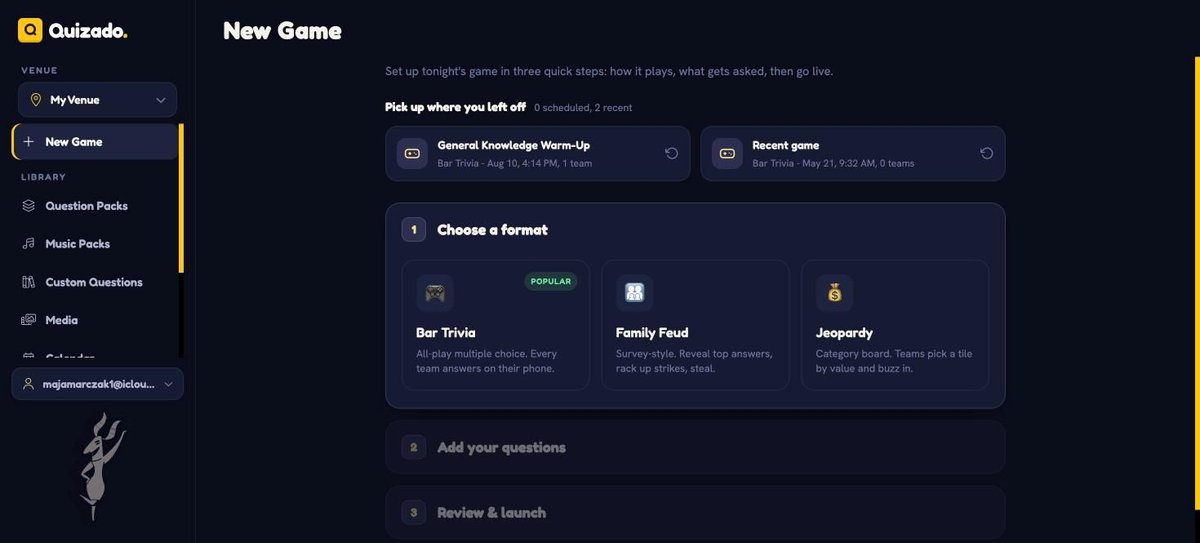
Step 1: choose Bar Trivia, Family Feud or Jeopardy.
Step 2 — Add your questions
Pick a ready-made Question Pack written by our quizmasters, pull from My Sets (your own questions and saved sets), or use Generate with AI and let Quizado write to your brief. Choose a pack and you're basically done.
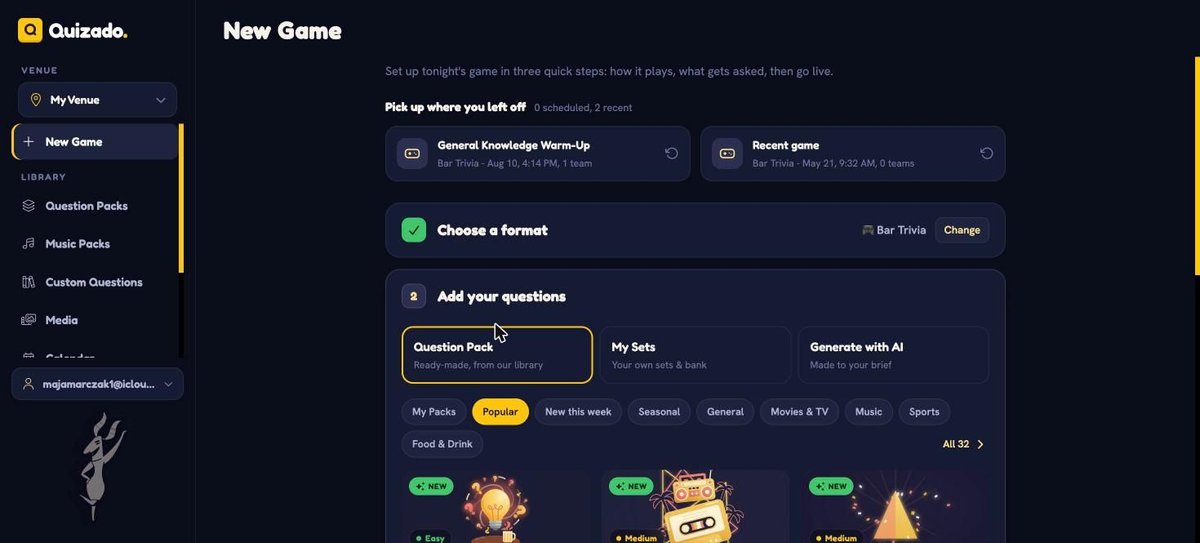
Step 2: ready-made, your own, or AI-generated.
Step 3 — Review and launch
Quizado shows you the night at a glance: number of questions, number of rounds, and a rough run time. Choose Start now or Schedule it for later. The join address is where teams go on their phones — no app download, just the code.
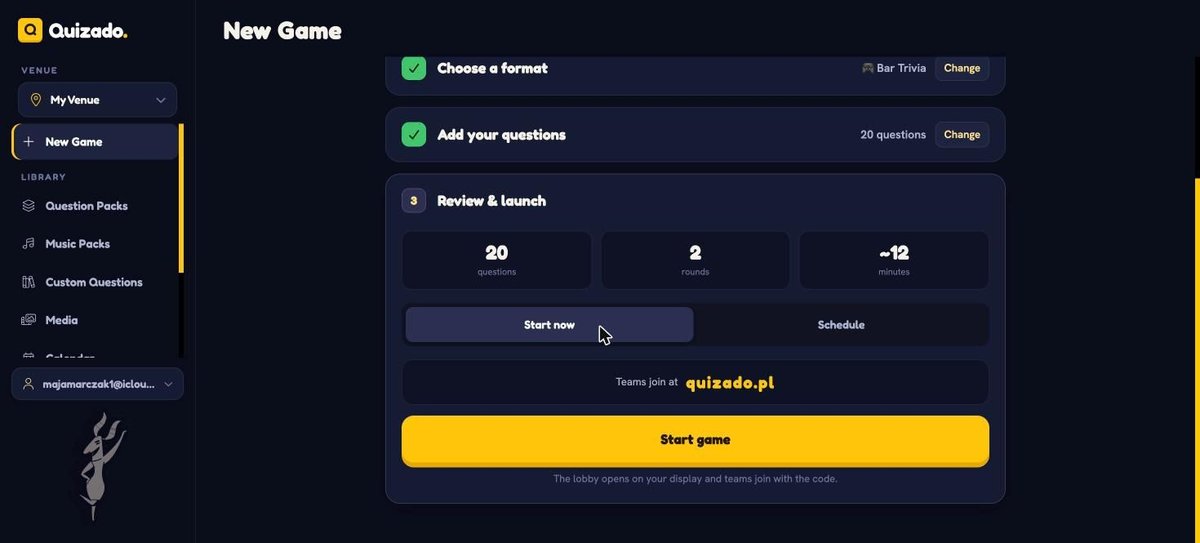
Step 3: one glance and you're ready to go live.
Step 4 — The lobby (this is the new part)
Big player code on the left, teams joining live underneath. On the right, the running order: every round laid out with its type, its points, its timer, and any rules like wrong-answer penalties or audio on player phones.
No more guessing how the night will play out. No more digging into settings once the room's full. You see the whole game before you start it.
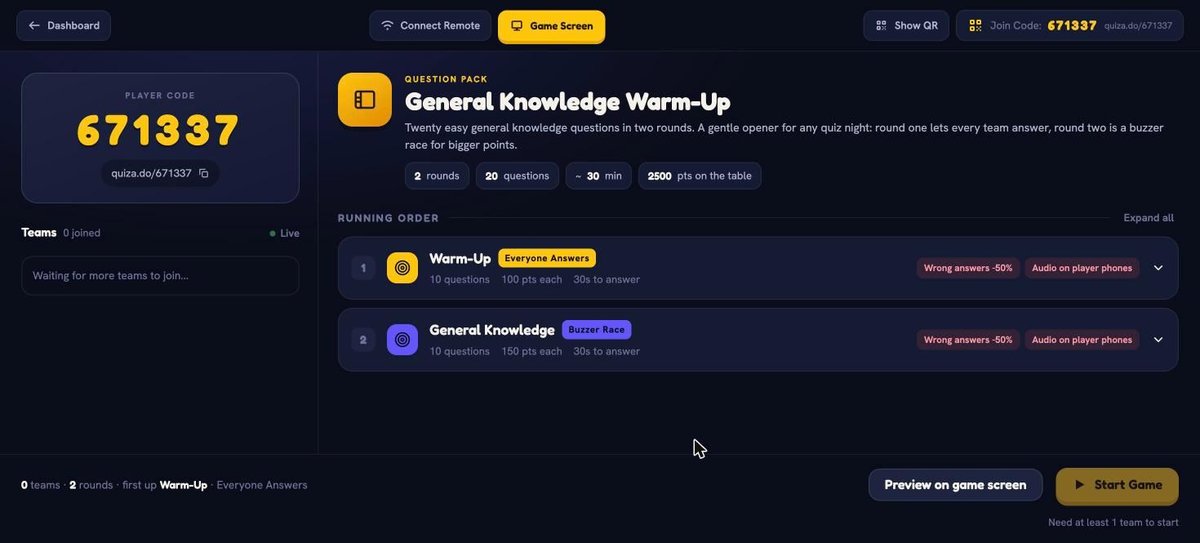
Step 4: the whole game, laid out before you press start.
Step 5 — Go live
Press start. Each question shows on your host screen with the answer marked for your eyes only, a live count of how many teams have answered, and a timer. Hit Lock Answers (or tap space) to stop the clock. Scores update on the right and on the big screen automatically.
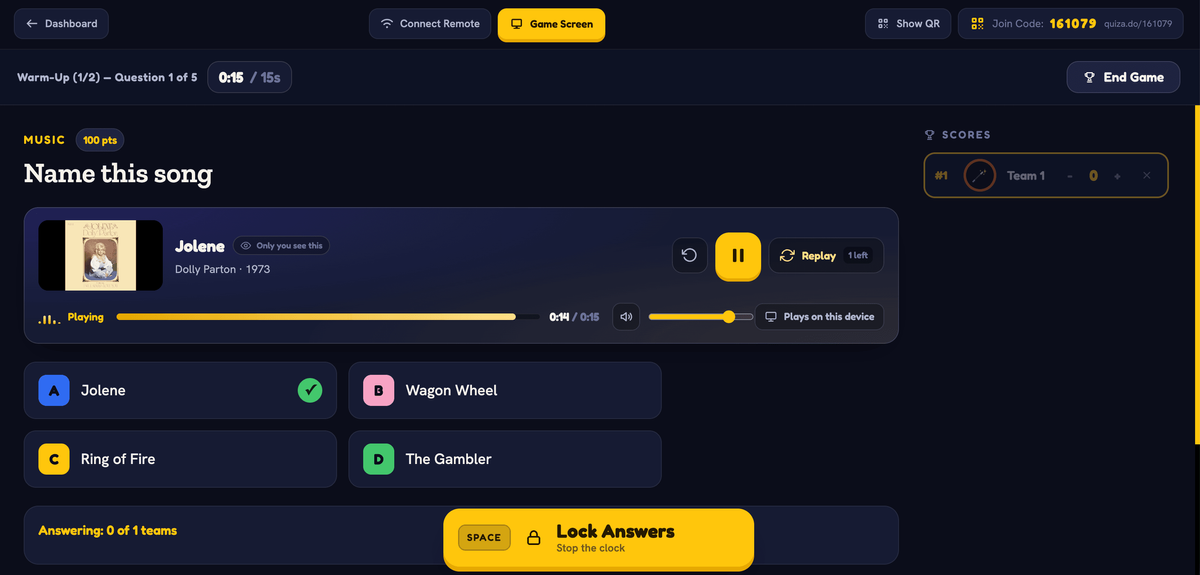
Step 5: everything the host needs, on one screen.
Step 6 — Crown a winner
Game over, winner up in lights, final standings below. From here you can play again with the same teams, start fresh, or pull up a summary.
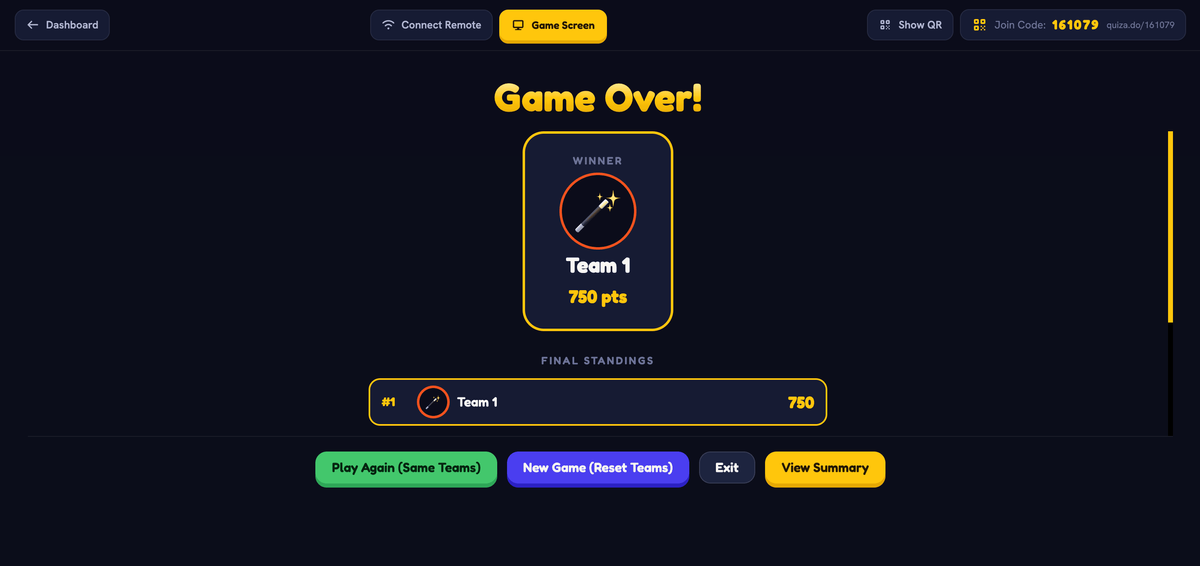
Step 6: celebrate the winner and tee up next week.
 Check your Game Summary.
The hosts who pack rooms aren't the funniest — they're the most consistent. Same night, clear rounds, fast scoring, and a leaderboard people care about.
Part 2: Feature deep-dives
Question Packs & the new Pack Editor
Templates are now Question Packs, and they come with a real editor. Fresh packs drop every week, with seasonal specials for your biggest nights.
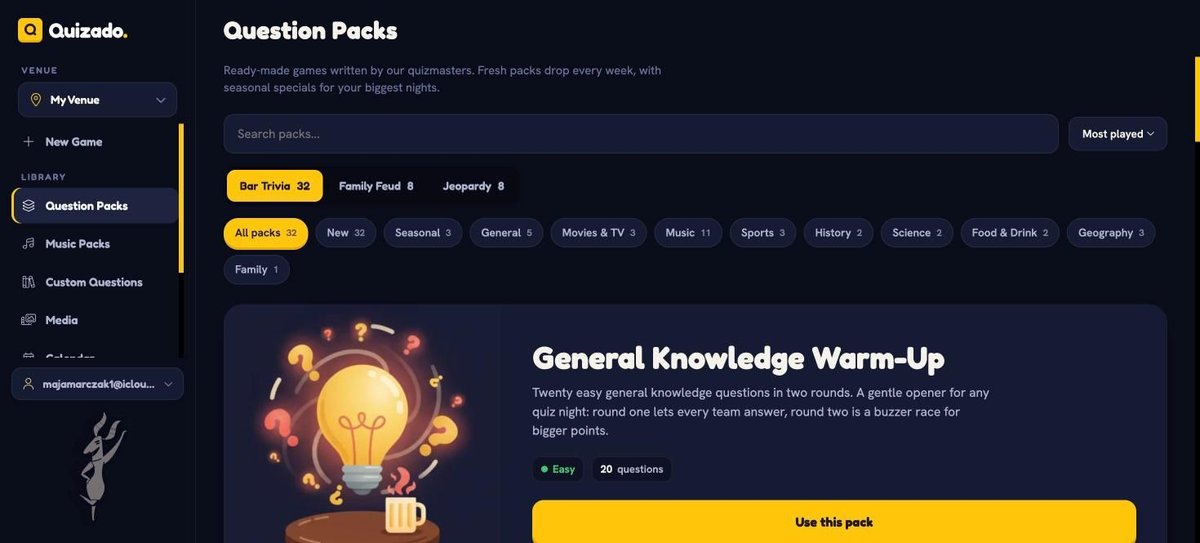
Ready-made games, sorted by format and topic.
Open any pack (or start your own) and you land in the Pack Editor. Rounds live on the left. Click a round and you can set its type, its points, its timer, and its penalties. Drag questions to reorder them. Pull from the Quizado bank or drop in your own. Everything about how a round plays is set here, before the game — not scrambled together in the lobby.
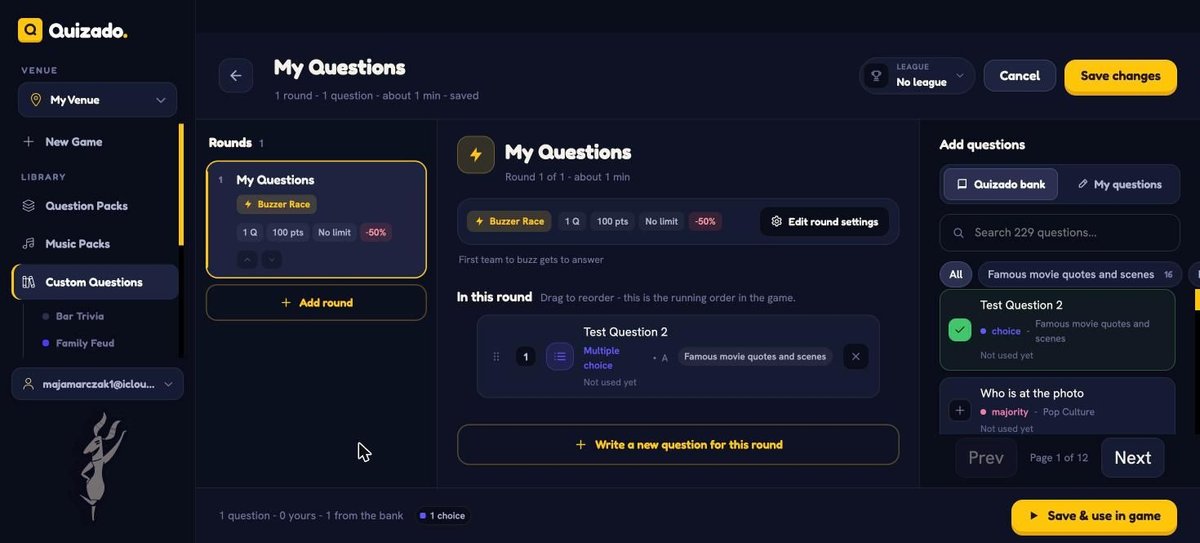
Set rounds, points and timing in advance.
Custom Questions, AI, and Tidbits
Write your own questions, or let AI draft them to your brief. Five question types to choose from: Multiple choice, Majority wins, Name That Tune, Slider, and Open-ended.
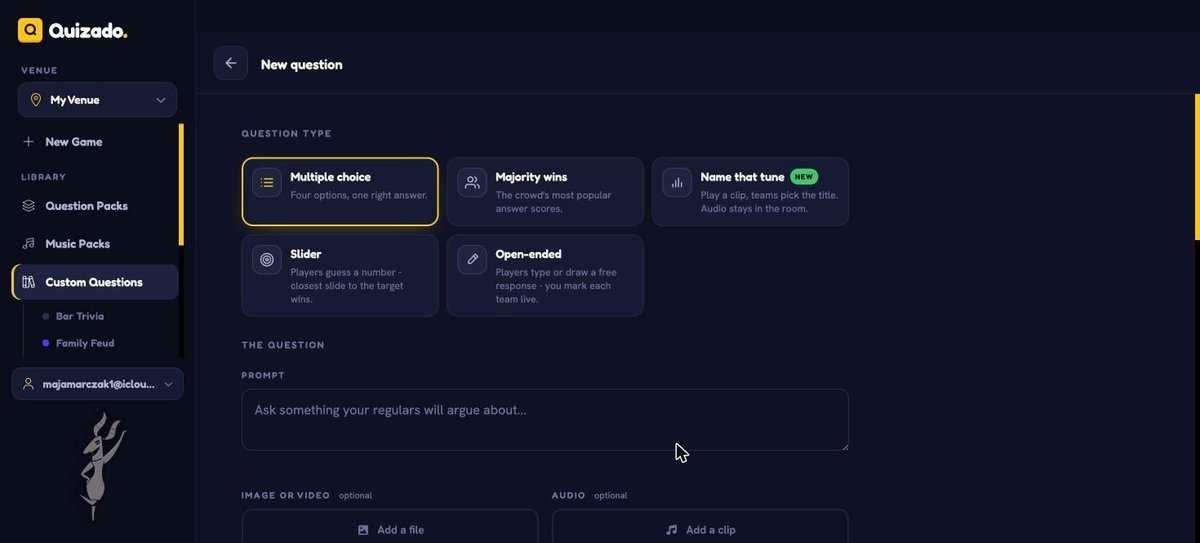
One editor, five ways to ask.
The new one worth knowing: Tidbits. It's a host-only note that never shows to players or on the display — a fun fact to read out after the reveal, so you look like you actually know this stuff. Write it yourself, or hit Generate with AI.
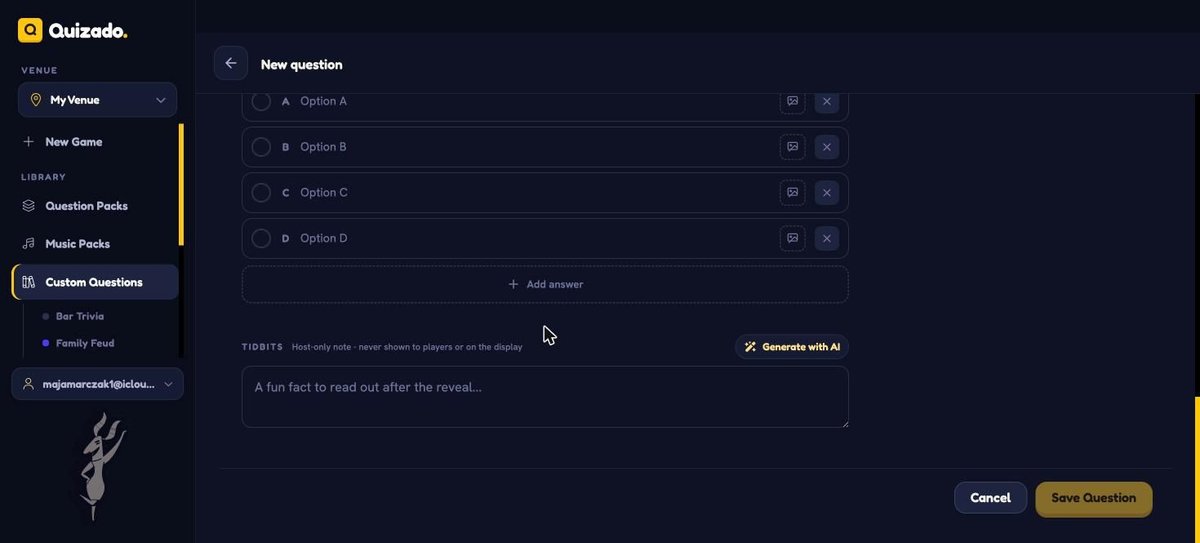
Never shown to players. Just makes you look clever.
Music Packs: Name That Tune, from your own playlist
New Music Packs panel. Paste a playlist link from Spotify, Apple Music, Deezer, Tidal or YouTube — we read the track list and match each song to a playable stream. Name the pack, or start empty and add songs one at a time. Then run Name That Tune and Music Bingo rounds straight from your own music.
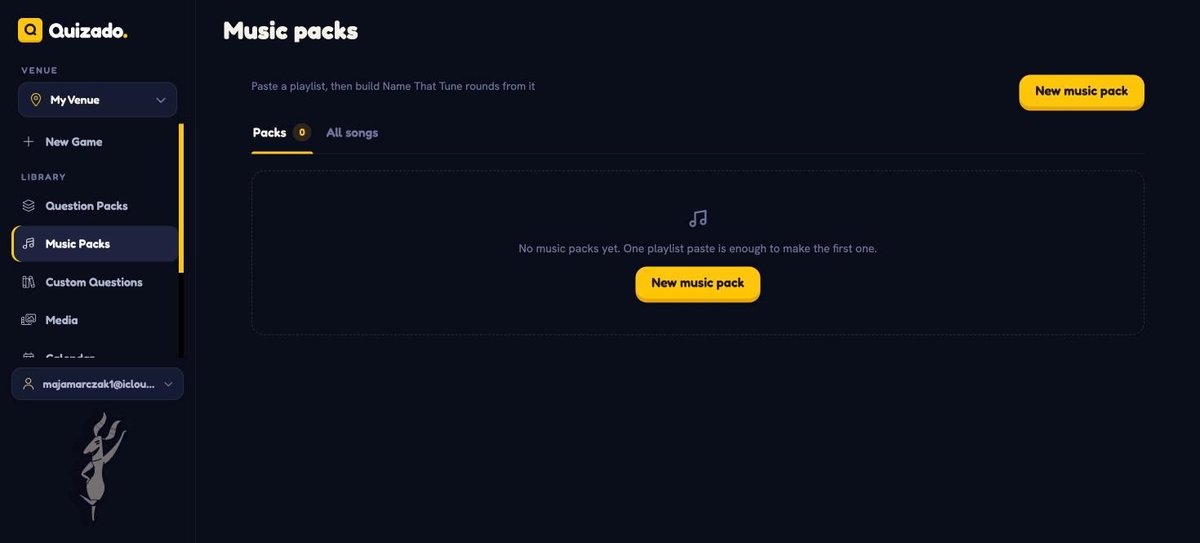
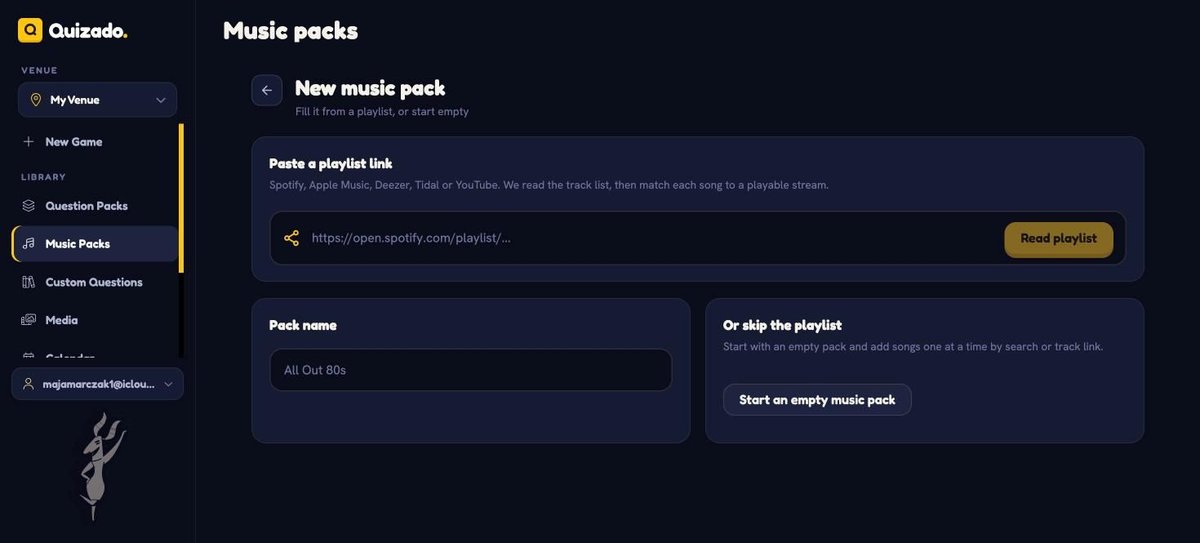
Your playlist becomes a music round in seconds.
Leagues & Seasons
The big one. A single game night is fun. A league keeps the story going. Create a league, run a season inside it, and Quizado tracks cumulative points across every game a team plays. Crown a season champion. Standings show on the big screen, and you can export players to CSV.
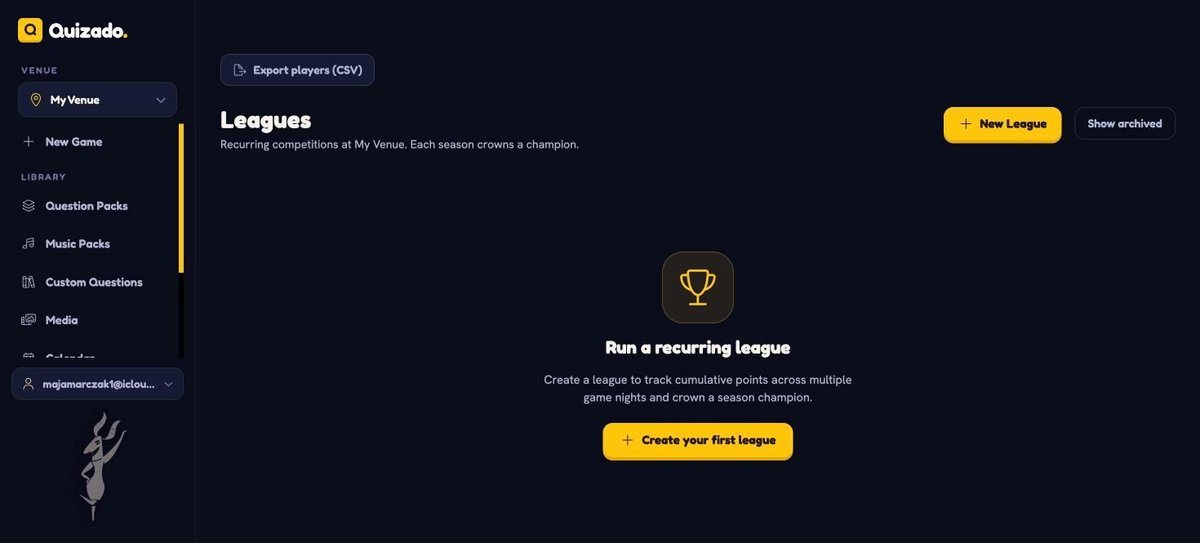
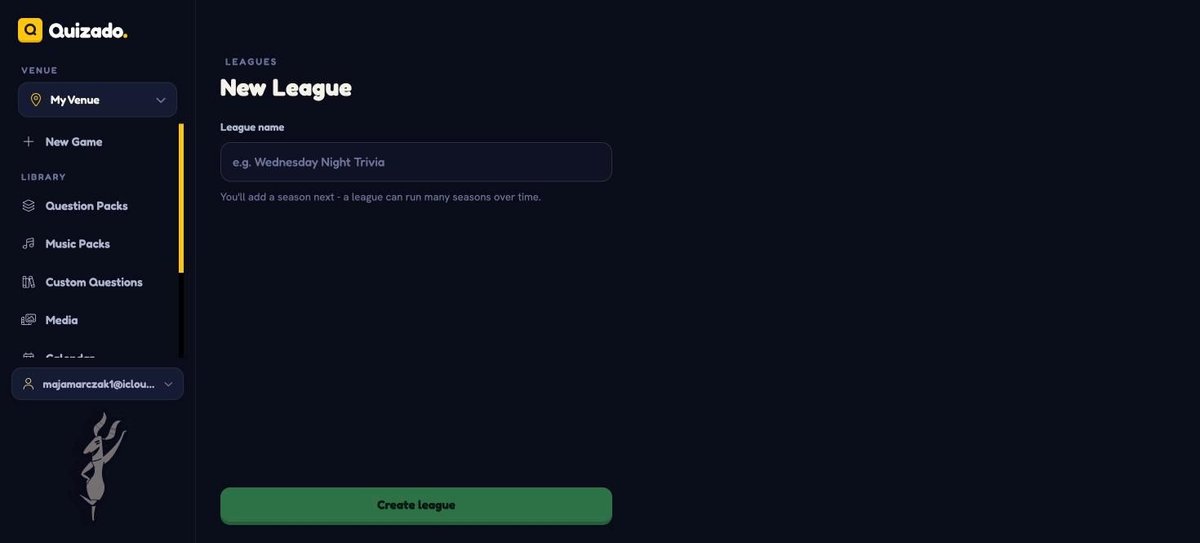
Turn a one-off night into a weekly ritual.
Attach any pack to a league right from the Pack Editor, so scores roll up automatically.
The smaller wins
A pile of things you asked for:
- Custom Join QR link — set your own address: quiza.do/fym
- Custom points per question — score however you want
- Custom time limits — as long or as tight as the round needs
- Resume from history — computer died mid-round? Pick the game back up exactly where it stopped
- Jeopardy, no team limit — bring the whole room
- Per-venue branding — themes, game settings and branding now live at the venue level
Ready when you are
New game, new packs, new league. Everything above is live now — open Quizado and run your best night yet.
Run this night with Quizado
Quizado is bar trivia software. Build the rounds, let players join by QR code on their phones, and show live scores on the TV.

Start Hosting Bar Trivia Tonight
Download Quizado free and host your first trivia night tonight!
Trusted by 5,000+ hosts